



How Computer Vision Is Quietly Powering Everyday Apps
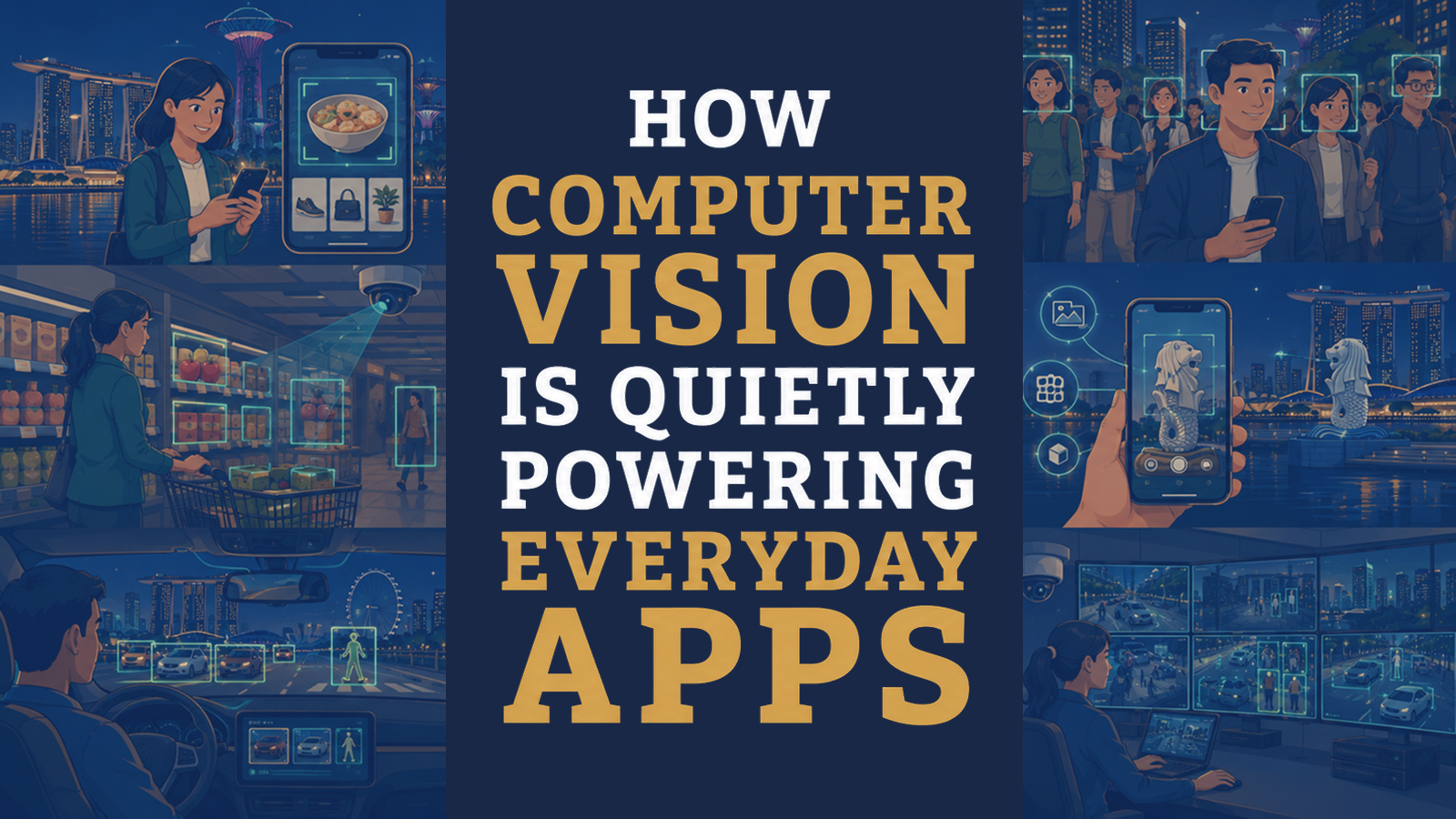
Table of Contents



TL;DR: How Computer Vision Is Quietly Powering Everyday Apps
- Computer vision is a field of artificial intelligence that enables computer systems to process visual data and identify objects, patterns, features or events in images and videos.
- It supports features such as facial authentication, photo search, augmented-reality filters, product-image matching, camera-based driver-assistance systems and certain medical imaging tools.
- The performance of computer vision systems depends on factors such as their training data, system design, image quality and deployment environment. Privacy, reliability, bias and human oversight are especially important when the technology is used with personal data or in high-impact settings
- Students interested in computer vision can begin by learning AI fundamentals, programming concepts and how images are represented as data. Any reference to computer vision within a United Ceres College programme should reflect the programme’s officially published curriculum and learning outcomes.
Many people think of artificial intelligence as chatbots, virtual assistants, or recommendation systems. However, an important area of AI that often operates in the background without attracting much attention. This technology is known as computer vision. Students interested in understanding technologies like computer vision may explore an Artificial Intelligence course to learn how AI systems work and how they are applied in real-world situations. Every time your smartphone detects a face in a photograph, a camera-equipped vehicle system identifies a road sign, or an online shopping platform finds visually similar products, computer vision may be involved.
Although most users never see the technology directly, it plays a significant role in many applications people use every day. Understanding how computer vision works can help students, professionals, and technology enthusiasts better understand the growing influence of AI in modern life.
How Computer Vision Is Quietly Powering Everyday Apps
What Is Computer Vision?
Computer vision is a field of artificial intelligence that enables computer systems to process visual data and identify patterns, objects, features or events in images and video.
Humans can quickly recognize objects, faces, colors, and movements. Computers, however, need instructions and training to identify these elements accurately. Computer vision uses AI models and large amounts of visual data to help computers recognize patterns and make decisions based on what they detect. For example, a person can instantly recognize a cat in a photograph. Computer vision systems are trained to identify features such as shape, texture, and patterns so they can also recognize a cat in an image.
How Does Computer Vision Work?
Understanding these processes is often part of an AI and machine learning course, where students explore how computers learn from information and identify patterns. The technical details behind computer vision can be complex, but the basic idea is easier to understand. Although implementations differ, a simplified computer vision workflow may involve the following stages:
1. Capture Visual Data
The system receives images or video through cameras, smartphones, scanners, or other devices.
2. Analyze the Image
The AI examines the visual information and identifies patterns, shapes, colors, and features.
3. Recognize Objects or Features
The system compares what it sees with patterns it has learned from previous training data.
4. Produce an Output or Trigger an Action
After identifying objects or features, the system performs a task such as tagging a photo, detecting a face, or identifying a product.
Real-Life Example
Imagine taking a photo of your friend. Your smartphone may automatically:
- Detect a face
- Focus the camera
- Adjust lighting
- Group similar photos together
All of these actions can involve computer vision working behind the scenes.
Why Is Computer Vision Becoming So Important?
Modern technology generates enormous amounts of visual information every day. Digital platforms and connected devices generate very large volumes of visual information every day. Manually analyzing all this visual data would be impossible. Computer vision helps automate this process by allowing systems to:
- Identify objects
- Recognize faces
- Detect patterns
- Track movement
- Analyze images quickly
As a result, organisations may be able to process visual information more efficiently and use the resulting outputs to support human decision-making.
Everyday Apps That Use Computer Vision
Many people use computer vision daily without realizing it. Let’s explore some of the most common examples.
Facial Recognition on Smartphones
One of the most familiar uses of computer vision is facial recognition. When you unlock your smartphone using your face, the device analyzes facial features and compares them with stored information. Depending on the device, facial authentication may analys:
- A mathematical representation of facial features
- Image information
- Depth data or other signals
- And compare it with an enrolled profile.
This allows the device to determine whether the user matches the authorized profile.
Real-Life Scenario
Instead of typing a password multiple times each day, users can unlock their devices simply by looking at the screen.
Photo Organization and Search
Many photo applications automatically organize images based on people, places, and objects. For example, users can search for:
- Cats
- Beaches
- Cars
- Food
- Mountains
Even if the images were never manually tagged. Computer vision analyzes image content and groups similar photos together.
Real-Life Scenario
A student looking for vacation photos from several years ago can quickly find beach pictures without scrolling through thousands of images.
Social Media Filters and Effects
Popular social media platforms use computer vision to apply filters, effects, and augmented reality features.
The system can detect:
- Eyes
- Mouth
- Facial expressions
- Head position
This allows filters to move naturally with the user’s face.
Real-Life Scenario
A virtual sunglasses filter remains aligned with a user’s face even when they move around during a video recording.
Navigation and Driving Applications
Computer vision is increasingly used in transportation and navigation technologies. Systems can identify:
- Road signs
- Traffic signals
- Pedestrians
- Lane markings
- Obstacles
These capabilities support navigation tools and advanced driver assistance systems.
Real-Life Scenario
A vehicle may warn drivers when they unintentionally drift out of their lane by analyzing camera footage in real time.
Online Shopping Recommendations
Many e-commerce platforms use computer vision to improve the shopping experience. Users can upload an image and search for visually similar products. For example, someone may upload a picture of a jacket and receive recommendations for similar styles.
Real-Life Scenario
Instead of describing a product in words, customers can search using an image and find related items more quickly.
Computer Vision in Healthcare
Healthcare is another area where computer vision is making a significant impact. Medical professionals often work with large numbers of images such as:
- X-rays
- CT scans
- MRI scans
- Ultrasound images
Appropriately evaluated medical imaging software may assist qualified healthcare professionals by identifying or highlighting features in images for further review. Its use should remain subject to applicable regulatory requirements, clinical procedures and professional judgement.
Important Note
Computer vision does not replace healthcare professionals. Instead, it may assist medical teams by providing additional insights and helping them review information more efficiently.
Real-Life Scenario
A medical imaging system may highlight unusual areas in a scan, helping healthcare professionals focus their attention during evaluation.
Computer Vision in Retail
Retail businesses increasingly use computer vision to improve operations and customer experiences. Applications may include:
- Inventory monitoring
- Queue-length estimation
- Product tracking
- Checkout automation
Real-Life Scenario
A retail store may use cameras and computer vision systems to identify when shelves need restocking, helping staff maintain product availability.
Computer Vision vs Human Vision
Although computer vision can perform impressive tasks, it works differently from human vision.
| Human Vision | Computer Vision |
| Learns through life experiences | Learns through training data |
| Understands context naturally | Requires programmed models and data |
| Adapts easily to unfamiliar situations | May struggle with unusual scenarios |
| Uses reasoning and judgment | Relies on patterns and probabilities |
This comparison highlights why computer vision is powerful but still different from human intelligence.
Industries Beyond Technology Are Using Computer Vision
A common misconception is that computer vision is only relevant to technology companies. In reality, many industries are adopting computer vision solutions. These include:
- Healthcare
- Education
- Manufacturing
- Logistics
- Agriculture
- Retail
- Transportation
- Security
- Finance
As visual data becomes increasingly important, organizations across sectors are exploring ways to use computer vision to improve efficiency and decision-making.
How Computer Vision Supports Daily Convenience
One reason computer vision has become so widespread is that it often improves user experiences without requiring additional effort from users. People simply use their devices while computer vision works quietly in the background. Examples include:
- Detecting image content to support features such as focus, cropping or photo enhancement
- Organizing image libraries
- Improving security features
- Supporting navigation systems
- Simplifying online shopping
Many users benefit from these features every day without actively thinking about the technology behind them.
Benefits of Computer Vision
Computer vision is becoming an important part of many digital services because it can process visual information quickly and consistently. While the technology continues to evolve, it already offers practical benefits across different industries.
Some of the key advantages include:
- Faster analysis of images and videos
- Automation of repetitive visual tasks
- Support for identifying patterns across large collections of visual data
- Better user experiences in mobile apps and online services
- Support for informed decision-making using visual data
For example, instead of manually reviewing thousands of product images, an online retailer can use computer vision to categorize products more efficiently.
Challenges and Limitations of Computer Vision
Although computer vision has many practical uses, it also has limitations that are important to understand.
Image Quality Matters
Computer vision systems often perform better when images are clear and well-lit. Poor lighting, blurry photos, or objects hidden from view can reduce accuracy.
Example
A smartphone’s face recognition feature may struggle to identify a user in a very dark room or when part of the face is covered.
Privacy Considerations
When computer vision systems collect or use identifiable images, facial information or other personal data, organisations should assess their obligations under Singapore’s Personal Data Protection Act and implement appropriate notification, consent, protection, access and retention practices where applicable. Users should also understand how their data is collected and used by different applications.
Organisations should also test systems for reliability, bias and unintended consequences before using them in high-impact situations.
Human Oversight Is Still Important
Computer vision can assist with many tasks, but it does not replace human judgment.
In fields such as healthcare, security, or manufacturing, trained professionals are still responsible for reviewing results and making important decisions.
Common Misconceptions About Computer Vision
Understanding what computer vision can and cannot do helps set realistic expectations.
“Computer Vision Is the Same as Artificial Intelligence”
The Reality
Computer vision is one branch of artificial intelligence. AI includes many other areas, such as:
- Machine learning
- Natural language processing
- Robotics
- Speech recognition
Computer vision focuses specifically on helping computers understand visual information.
“Computer Vision Only Recognizes Faces”
The Reality
While facial recognition is one application, computer vision can also identify:
- Products
- Animals
- Plants
- Vehicles
- Documents
- Medical images
- Traffic signs
- Manufacturing defects
Its uses extend far beyond recognizing people.
“Only Technology Companies Use Computer Vision”
The Reality
Businesses in many industries now use computer vision to improve efficiency and support daily operations.
Examples include:
- Hospitals analyzing medical images
- Retailers monitoring inventory
- Farmers observing crop health
- Manufacturers checking product quality
- Logistics companies tracking packages
“Computer Vision Is Only for AI Experts”
The Reality
Many professionals work with computer vision without developing AI models themselves. For example, marketing teams, healthcare professionals, retail managers, and business analysts may use computer vision-powered software as part of their everyday work.
What Skills Are Useful for Learning Computer Vision?
Students interested in computer vision do not need to master every technical topic before getting started. Useful skills include:
- Basic programming knowledge
- Logical thinking
- Problem-solving
- Curiosity about AI
- Data interpretation
- Basic mathematics
- Understanding how images and data are used
These skills can be developed gradually through structured learning and practical experience.
How Can Beginners Start Learning Computer Vision?
Getting started does not have to be overwhelming. Beginners can build their knowledge step by step. A practical learning path may include:
1. Learn AI Fundamentals
Understanding the basics of artificial intelligence provides a strong foundation for learning computer vision.
2. Explore How Images Become Data
Learning how computers process images helps explain why computer vision works.
3. Develop Basic Programming Skills
Programming languages such as Python are commonly used in AI and computer vision projects.
4. Practice With Simple Projects
Hands-on activities, such as identifying objects in images or organizing photo collections, help reinforce learning.
5. Continue Building Knowledge
As confidence grows, learners can explore more advanced topics such as image classification, object detection, and video analysis. Consistent practice is often more effective than trying to learn everything at once.
How Computer Vision Knowledge May Be Relevant Across Industries
As organizations continue adopting AI technologies, computer vision is becoming relevant across a growing number of industries. Students with an understanding of computer vision may explore opportunities in areas such as:
- Artificial intelligence
- Data analysis
- Healthcare technology
- Robotics
- Manufacturing
- Retail technology
- Autonomous systems
- Quality assurance
- Research and development
Career opportunities depend on individual qualifications, experience, and employer requirements. Even for roles that do not involve building AI systems, understanding how computer vision works can help professionals use AI-powered tools more effectively.
Learning Computer Vision Through Practical Education
When comparing AI programs, students may wish to look beyond course titles and consider the practical learning experience.
Useful factors to compare include:
- Programme structure
- Learning outcomes
- Practical projects
- Programming fundamentals
- Industry relevance
- Assessment methods
- Student support
At United Ceres College, relevant programmes combine guided learning with activities specified in the published curriculum. Depending on the program structure, students may explore AI concepts, computer vision fundamentals, programming skills, and practical applications that support continued learning and professional development.
Final Thoughts
Computer vision has become an essential part of modern technology, even though many people rarely notice it working behind the scenes. From unlocking smartphones and organizing photo libraries to supporting healthcare professionals and improving online shopping experiences, computer vision quietly powers many of the digital services people use every day. Understanding how this technology works helps students appreciate the practical side of artificial intelligence and its growing role across industries. While computer vision continues to evolve, its core purpose remains the same: helping computers understand visual information and support better decisions. Students who want to study Artificial Intelligence in Singapore can explore different learning pathways and compare program structures, practical projects, and entry requirements. Before selecting an AI programme, prospective students should compare its curriculum, learning outcomes, assessment methods, practical components and entry requirements to determine whether it aligns with their interests and goals.
Frequently Asked Questions (FAQ)
1. What is computer vision in simple terms?
Computer vision is a branch of artificial intelligence that enables computers to analyze and understand images and videos, allowing them to recognize objects, faces, text, and other visual information.
2. Where is computer vision used in everyday life?
Computer vision is used in smartphone facial recognition, photo organization, navigation apps, online shopping, healthcare imaging, social media filters, and many other everyday applications.
3. Is computer vision the same as artificial intelligence?
No. Computer vision is one area of artificial intelligence that focuses specifically on interpreting visual data. AI also includes technologies such as machine learning, natural language processing, and speech recognition.
4. Do I need programming experience to learn computer vision?
Learners can begin by understanding computer vision concepts without prior programming experience. However, developing computer vision applications or models usually requires programming, commonly using languages such as Python, as well as knowledge of data and mathematics.
5. Which industries use computer vision?
Computer vision is used across healthcare, retail, manufacturing, agriculture, transportation, logistics, education, finance, and technology, among many others.
6. Can learning computer vision support career development?
Learning about computer vision may help learners understand AI-enabled tools and develop relevant digital knowledge. Career outcomes depend on the role, the learner’s qualifications and experience, and employer requirements.